
HOF: Sports Stats & Data
HOF: Sports Stats & DataSports
4.4362.00 Reviews
- Version
- 3.10.3
- Installs
- 100.00K
- Age Rating
- Mature 17+
Screenshots

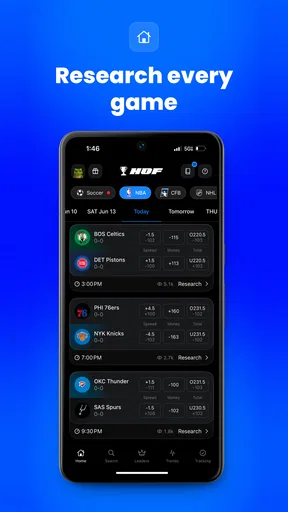
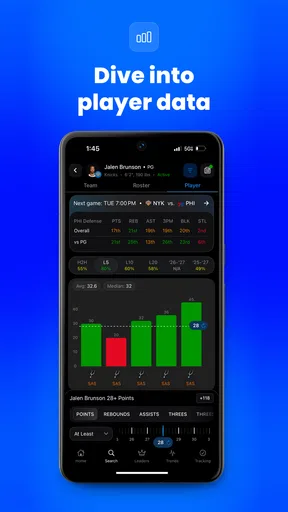
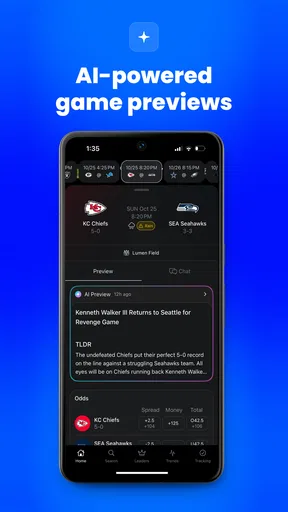
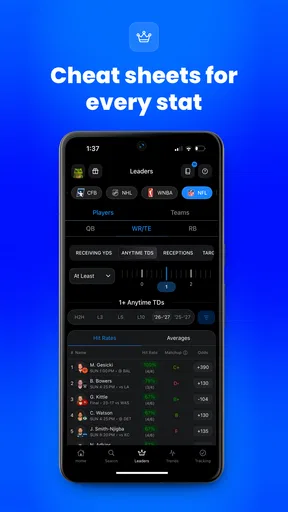
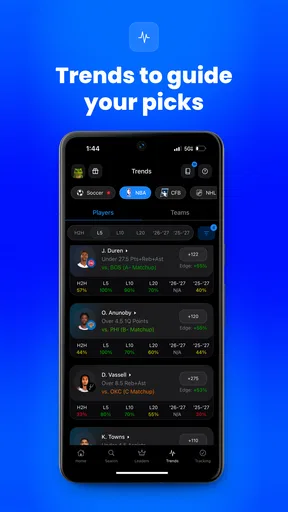
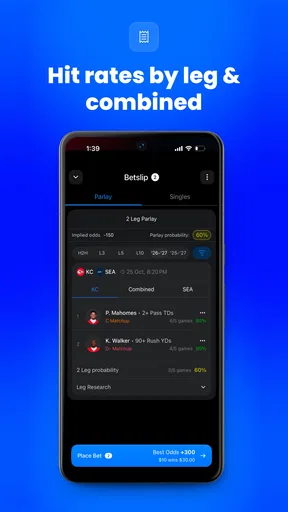
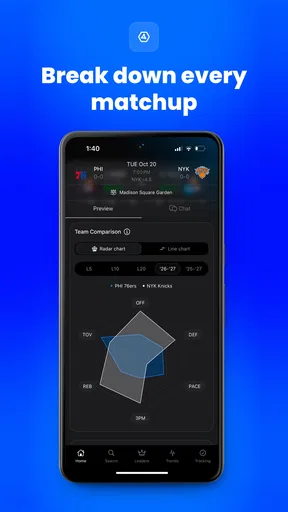
Our Review of HOF: Sports Stats & Data
 Analysis by Appyee
I opened HOF: Sports Stats & Data with a very specific need in mind: I wanted a quicker way to research players and games without jumping between several sports pages, search results, and scattered stat tables. That starting point matters, because this is not an app I would install simply to browse casually. It is built for a person who wants to investigate sports information, compare what they find, and make a more informed decision before a game, a fantasy lineup, or a conversation with friends.
My first impression was that HOF is best understood as a research tool rather than a general sports-news feed. Its store summary, “Research Every Player & Game,” points toward that purpose, and my experience matched it. The app comes from HOF: Sports Stats & Data and sits in the sports category, with a mature audience rating. It is free to install, although optional purchases range from a few dollars to well over a hundred dollars per item, so I would pay attention to which parts of the experience are included before treating it as a complete replacement for every other sports service.
From a sports question to a usable answer
When I have a sports question, I find it useful to decide what kind of answer would actually help before I start looking: a comparison, a sense of context, or a check on a first impression. That small step keeps research focused and makes it easier to notice when a statistic is relevant but not decisive. From there, the next question is how to turn what I find into a practical choice.
Starting with the question that brought me in
The most useful way to approach HOF is to begin with a narrow question. Instead of opening it and hoping something interesting appears, I would start with a player, a game, or a comparison I genuinely want to investigate. For example, before choosing between two players for a fantasy decision, I might want to check how each has performed recently, how their broader game history looks, and whether the numbers support the impression created by a recent headline.
That workflow is more disciplined than simply scrolling through sports news. News apps are excellent for injuries, announcements, and live narrative, while league-specific apps often do a better job of presenting official schedules or team alerts. HOF appeals to me when the question is analytical: “What has this player actually done?” or “How should I compare these two options?” It gives the research task a clear center instead of making me collect fragments from unrelated pages.
I also found that the app makes more sense for people who already know what they are looking for. A dedicated fan can arrive with a name and a purpose, then use the available player and game information as a starting point for judgment. A newcomer who only wants a simple score notification may find the research-first approach heavier than necessary. That is an important distinction: HOF is not automatically the best sports app for every kind of sports interest.
Moving through player and game research
My practical flow was to identify the subject first, inspect the relevant information, and then widen the search only when the first result raised another question. If I began with a player, I could think about the player as an individual rather than treating a single recent performance as the entire story. If I began with a game, I could use that event as the entry point and then follow the surrounding player context.
This sounds simple, but it changes how I read statistics. Instead of copying the first eye-catching number, I would pause and ask what it represents. Is it useful for judging consistency, role, recent form, or a single unusual performance? HOF cannot make that judgment for me, and I would not want it to. Its value is in reducing the time spent locating relevant information so I can spend more time interpreting it.
A helpful habit is to separate “discovery” from “decision.” First, I use the app to find the player or game details I need. Then I step back and decide whether the information actually answers my question. This prevents a common mistake with sports-stat tools: assuming that a large amount of visible data automatically produces a reliable conclusion. A player can look attractive in one area and less convincing in another, so I would avoid making a lineup or betting decision from one isolated screen.
Another useful habit is to record the reason for the search before opening the app. If I am checking a player because of a recent performance, I want to know whether I am testing that reaction or merely confirming it. Writing down the original question, even mentally, makes the research less vulnerable to recency bias. That is one of the less obvious benefits of a stats-focused app: it can help create a repeatable process, but only if I use it deliberately.
Turning the information into a handoff
The next stage is where HOF becomes part of a larger routine. I rarely research sports information for no reason. Usually, the result needs to be handed off to something else: a fantasy lineup, a group chat, a personal note, a prediction, or a discussion with someone who follows the same league. The app supplies the research stage, but the final decision still happens outside it.
For a fantasy user, the handoff might be from a player profile to a shortlist of possible selections. I would compare the information I found in HOF with the practical constraints of my league and then check current news separately. That last step is important. A stats tool can help me understand a player’s record, but a late injury update, lineup change, or team announcement may affect the decision in a way that historical information cannot capture.
For a casual fan, the handoff is less formal. I might use HOF before watching a game, then keep one or two questions in mind while watching. Did the player’s recent form match the impression from the numbers? Is the role on the court or field different from what a basic stat line suggests? This makes the viewing experience more engaging without turning it into a spreadsheet exercise.
For a small discussion group, I would be careful about presenting app-based research as a final verdict. A better handoff is to share the player or game context and explain why it matters. “This is the number, therefore this player is better” is weaker than “This is the pattern I found, and here is why it may matter in this matchup.” HOF supports the second style of conversation more effectively than the first.
What the workflow produces
The result I got from using HOF was not a magical prediction. It was a more organized way to reach an opinion. I could move from a vague feeling about a player to a question, from the question to research, and from the research to a decision that felt less impulsive. For sports fans who enjoy comparing players and examining games, that is a meaningful improvement over relying only on headlines or memory.
The app also works well as a second opinion. I might already have a favorite player or a strong view about an upcoming game, but checking the available information gives me a chance to challenge that view. Sometimes the numbers reinforce the initial impression; sometimes they expose how much a recent highlight influenced me. That tension is useful, especially for fantasy players and fans who want to discuss sports with more substance.
Its audience size suggests that it has found a real group of interested users: HOF has passed one hundred thousand installs and holds a 4.4 average from roughly two thousand ratings. I read that as encouraging, but not as proof that it will fit every sports routine. Ratings tell me that many people enjoy the product, while my own decision would depend more on whether I regularly research players and games.
The current release is version 3.10.3, and the app supports Android seven and later. That makes it accessible to people using older Android devices, which is useful if I do not want a sports research tool to force a phone upgrade. Still, compatibility is only the entry point. The more important question is whether the app’s research style matches the way I follow sports.
Where the flow becomes less comfortable
The biggest friction is that research takes attention. HOF may help gather information, but it does not remove the need to understand what I am seeing. If I only have a few seconds before a lineup deadline, I may prefer a simpler app that surfaces a direct recommendation, a live update, or a compact alert. HOF is stronger when I can slow down and examine the context.
There is also a risk of over-researching. Once I start comparing players and games, it is easy to keep opening another detail instead of making a decision. My solution is to define a stopping point: identify the question, check the relevant information, compare it with current news, and then decide. Without that limit, even a useful research app can become a source of hesitation.
The free entry point is welcome, but the in-app purchase range means I would not assume every useful research path is available without cost. Optional items run from $4.99 to $119.99 each. That spread is significant enough that I would review the purchase screen carefully and think about how often I will use the app before paying. A dedicated fantasy player or serious sports researcher may see value in advanced access, while an occasional fan may be better served by the free experience and existing league apps.
The mature rating is another practical consideration. I would not treat HOF as an app for children simply because it concerns sports. Parents choosing sports software for a younger user should check whether the audience and surrounding experience are appropriate for their household. For an adult fan, the rating is less of a concern, but it is still worth noticing before recommending the app broadly.
HOF is also not a complete substitute for official team or league apps. If my priority is a club’s official announcements, ticket information, alerts, or a highly polished live-score experience, I would go directly to the relevant official source. If my priority is breaking news, I would use a trusted sports-news service. HOF earns its place beside those tools by focusing my attention on player and game research, not by replacing every sports function.
Who should build a routine around it?
I would recommend HOF to fantasy players who want a research step before setting a lineup, fans who enjoy comparing players, and sports followers who dislike making judgments from one headline or highlight. It is especially useful for someone who wants to turn a repeated habit into a process: ask a focused question, inspect the relevant player or game information, compare the result with current context, and then make a choice.
I would be more cautious about recommending it to someone who only wants live scores, quick news, or a simple schedule. Those users may find a league-specific app or a conventional sports-news app more direct. I would also hesitate if a person rarely researches sports and would not use the app often enough to justify exploring optional purchases.
One practical scenario shows the difference. Imagine I am choosing between two players before a fantasy deadline. I open HOF to research both rather than selecting the one who had the most recent highlight. I compare the information available for each player, note which parts answer my original question, and then leave the app to check current lineup news. The final choice is mine, but the handoff is cleaner: HOF handles research, another source handles immediate updates, and my league rules handle the final constraint.
That division of labor is the right way to use it. I would not ask one app to provide historical context, live news, official announcements, and personal judgment equally well. HOF is most valuable when it occupies the research portion of that chain and when I understand what still needs checking elsewhere.
My recommendation after using it
HOF: Sports Stats & Data is a focused sports app with a clear purpose: helping me investigate players and games rather than merely glance at scores. I like the way it encourages a question-led workflow, and I found the research angle more useful than another generic stream of sports headlines. The app is free to start, has a mature audience rating, and is available for Android seven and later, which keeps the barrier to entry fairly low.
My recommendation comes with a condition: install it if you enjoy the reasoning part of sports. Use it when you want to challenge an assumption, prepare for a fantasy decision, or understand a player beyond one recent moment. Set a limit on how much research you need, check time-sensitive news separately, and examine optional purchases before committing to them.
For me, the strongest outcome is not that HOF tells me what to think. It gives me a more reliable path from curiosity to evidence to action. If you want sports research rather than just sports notifications, HOF is worth trying; if you want instant updates with no analysis, a simpler alternative will probably suit you better.
Verdict
Strengths of HOF: Sports Stats & Data
- Covers multiple sports with detailed player and team statistics.
- Useful for comparing recent form, rankings, and historical performance.
- Clean layout makes key numbers quick to find.
- Regular data updates help keep information relevant.
- Helpful for fantasy players, analysts, and dedicated sports fans.
Limitations of HOF: Sports Stats & Data
- Some advanced statistics may require a premium subscription.
- Coverage and depth can vary between sports and competitions.
- Large amounts of data may feel overwhelming for casual users.
- Live updates may depend on the availability of official data sources.
- The app is less useful if your favorite league has limited coverage.
Similar Picks in This Category
View All
BeSoccer: Soccer Live Score
BeSoccer apps4.3

Cricbuzz - Live Cricket Scores
Cricbuzz.com3.7

NFL
NFL Enterprises LLC2.4

Da Fit
MO YOUNG LIMITED3.6

ESPN
Disney4.5

LiveScore: Live Sports Scores
LiveScore Limited4.5
Frequently Asked Questions
What is HOF: Sports Stats & Data used for?
HOF: Sports Stats & Data is designed for sports fans who want to explore player statistics, team performance, historical records, and other data-driven information in one place. After reviewing the app, its main appeal is the ability to compare athletes and follow performance trends rather than simply checking live scores. It is particularly useful for fantasy sports research, debates, sports analysis, and anyone who enjoys looking beyond headlines and highlights.
Which sports and competitions are covered in HOF: Sports Stats & Data?
The available sports, leagues, and competitions can vary depending on the app’s current data coverage and updates. HOF focuses on providing detailed sports information, but users should check the in-app categories or the official store listing to confirm whether their preferred league is supported. Coverage may also differ by country, season, and sport, so a competition available in one region or period may not have the same depth of statistics elsewhere.
Does HOF: Sports Stats & Data provide live scores and real-time updates?
HOF: Sports Stats & Data is primarily focused on statistics and sports data, so users should not automatically assume that every event includes live play-by-play coverage or instant score updates. Some information may be updated during games, while other records can appear after official results are processed. If real-time alerts are important to you, review the app’s notification settings and verify the update frequency for the leagues you follow.
Is HOF: Sports Stats & Data free to download and use?
The app may be available to download at no initial cost, but some features, advanced statistics, premium content, advertising removal, or subscription options can depend on the current version and platform. Before downloading, check the Google Play Store or App Store page for pricing details, in-app purchases, and subscription terms. It is also worth reviewing renewal conditions if the app offers recurring access to enhanced sports data.
Does HOF: Sports Stats & Data require an account or collect personal information?
Depending on the features you want to use, HOF: Sports Stats & Data may allow some browsing without registration while requiring an account for personalization, saved favorites, alerts, or synchronized data. During installation, review the permissions requested and read the developer’s privacy policy. Pay particular attention to information connected with analytics, advertising, account creation, and notifications, especially if you prefer to keep your sports activity private.
